
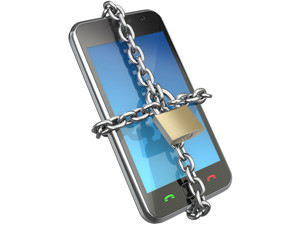
Mobile threats - both offline and online - are prevalent and growing. With these threats growing, it is important to consider a mobile security application for a mobile device.
So says Craig Hockley, McAfee's regional director for SA and sub-Saharan Africa, who explains that most people nowadays rely on mobile phones to communicate, socialise, work, store pictures and contacts, and even do online tasks like banking and shopping, yet they don't often protect them.
A recent ITWeb survey also discovered that though many organisations are aware of the security risks associated with having company data on employees' mobile devices, few have measures in place to reduce this risk.
"Consider that people are 15 times more likely to lose their mobile phones than their laptops. In the US alone, 113 phones are lost every second, and 12 000 smartphones are found in airports each week," Hockley notes.
"And, losing your phone doesn't just mean losing the personal and confidential information stored on it, but also your ability to communicate," he adds.
What's more, he continues, losing a mobile phone could lead to identity theft if one has personally identifiable information stored on it, such as date of birth or driver's licence number, or if a phone's browser set to automatically log in to banking and shopping sites.
Hockley also believes that given that researchers found that almost a quarter of consumers store their computer or banking passwords on their mobile devices, and around 11% store personally identifiable information, and even credit card numbers, these risks are very real.
Confidential work information is another matter, he states. "It is estimated that nearly one-third of all workers will lose a mobile device that could provide access to sensitive company information, making this a top concern for businesses today."
It's easy to see why they are worried, he elaborates. "The Ponemon Institute estimates that the loss of a smartphone can cost a company $129 000 when data loss is factored in."
Beyond the risk of loss, mobile users should also be concerned with the growing amount of malware aimed at mobile devices, Hockley points out.
"In fact, malware directed at the Android platform has increased and the number of variants targeting a number of mobile platforms is on the rise. So far, the Symbian, Android and J2ME platforms have been the most affected, but Windows phones are also facing attack."
According to Hockley, mobile malware threats can be very similar to those directed at a computer.
"You could accidentally install a dangerous application that includes malicious code or spyware, or you could connect to an unsecure wireless network, allowing a cyber criminal to potentially access your information.
"You could also fall victim to a phishing attack that tricks you into handing over your personal information or financial details. One study has shown that mobile users were three times more likely to give their personal information to a phishing Web site than desktop users. Cyber criminals have now even begun sending phishing messages via SMS texts, which is known as 'SMiShing'."
Given these risks, he urges, it's important to take steps to protect yourself.
"Always password protect your device and set it to auto-lock after a certain period of time to increase your mobile security. Before downloading a third-party app, check other users' reviews to see if it is safe, and read the app's privacy policy to make sure that it is not sharing your personal information."
Share

